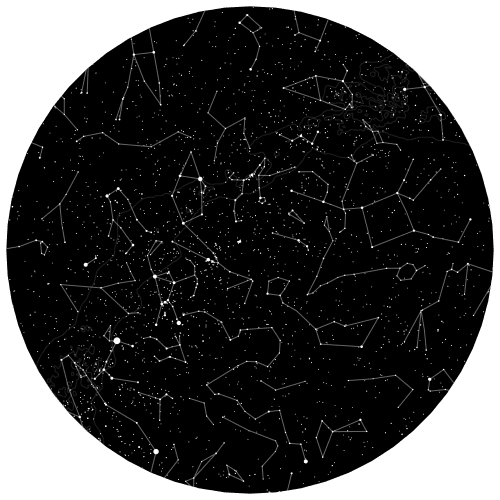
Everything below — the visual builder, saved presets, and the API itself — lives inside one free Studio account. Preview is always free; a plan is only needed to export.
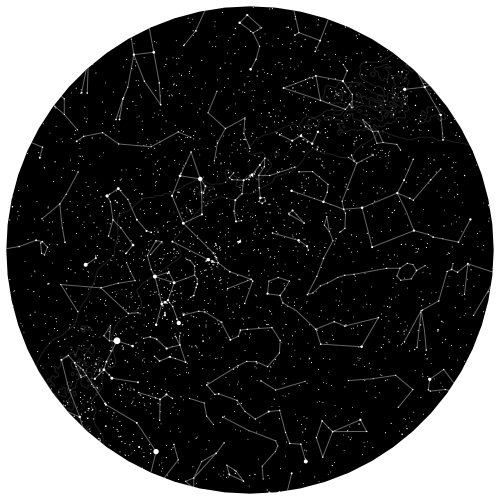
Start Studio freeThe Starmap360 API turns a place, date, and time into a personalized star map — as SVG or PNG, on demand, from a single request. It’s the same generator behind One map and Starmap Studio, available directly to your own app, storefront, or print pipeline.
Choose your workflow
Studio gives you three ways to get from an idea to a finished map — pick whichever fits how you work:
- Visual builder — point, click, and preview a map in the browser, no code required.
- Reusable product presets — save a configuration (colors, Milky Way, constellation lines) once, then reuse it for every order or gift instead of rebuilding it from scratch.
- API — call the same generator directly from your own code, for anything the visual builder can’t reach into.
Who the API is for
Developers
Building an app, a website, or a tool that involves the night sky? Use the API to:
- Generate star maps from location, date, and time.
- Customize colors, the Milky Way, and constellation lines per request.
- Call it straight from your backend — no rendering pipeline of your own to maintain.
Sellers, print-on-demand, and dropshipping shops
Add personalized star maps to your product line without building or hosting a renderer — this is the workflow shops offering personalization, print-on-demand, and dropshipping fulfillment ask us about most:
- Generate print-ready SVGs on demand, per order — no pre-rendered stock to manage.
- Call the API at order time, straight from your own storefront or fulfillment system, to fit your existing order flow.
- Offer a live customer-facing preview before the order is placed.
See Starmap API for print-on-demand & dropshipping for the fulfillment-specific details (order-time rendering, no inventory, per-order cost).
Astronomy enthusiasts
Visualize the sky as it appeared on a specific night, and experiment with celestial data in your own projects.
How the API works
Endpoint
GET /api/starmap.{format}
Supported formats
svg— scalable vector, best for print and further editingpng— raster, ready to display as-is
Query parameters
| Parameter | Type | Required | Description |
|---|---|---|---|
api_key | String | Yes | Your Studio API key |
latitude | Float | Yes | Observer latitude, in degrees |
longitude | Float | Yes | Observer longitude, in degrees |
date | String | Yes | YYYY-MM-DD, local to the location |
time | String | Yes | HH:mm:ss, local to the location |
background_color | String | Yes | 6-digit hex, e.g. 000000 |
main_color | String | Yes | Star/line/Milky Way color, 6-digit hex |
show_milky_way | Boolean | Yes | true or false |
show_constellations | Boolean | Yes | true or false |
width | Integer | No | Output width in pixels, square image |
Example request
GET /api/starmap.svg?api_key=your-api-key&latitude=52.2297&longitude=21.0122&date=2025-01-01&time=20:15:00&background_color=000000&main_color=FFFFFF&show_milky_way=true&show_constellations=trueEvery response reports quota via headers (X-Quota-Used, X-Quota-Remaining), so you can track usage without a separate account-status call. Full parameter and response docs, with an in-browser try-it-out, live at the API reference.
Credits
Previewing a map — in the visual builder or via the API — is always free and never touches your quota. One final map export or successful API render draws from a single shared pool of monthly map credits, no matter which workflow produced it, so you can move between the visual builder and the API without tracking two separate balances.
Why use the Starmap360 API
- Customization — colors, constellations, and Milky Way visibility per request.
- No infrastructure — nothing to render or host yourself.
- Print-ready — SVG and PNG output, suitable for posters as well as screens.
- Global coverage — any location on Earth, any date.
Getting an API key
API keys come from a Starmap Studio subscription — Basic and Pro plans include a monthly render quota, metered per key. Creating a Studio account is free; the API key activates with a plan.