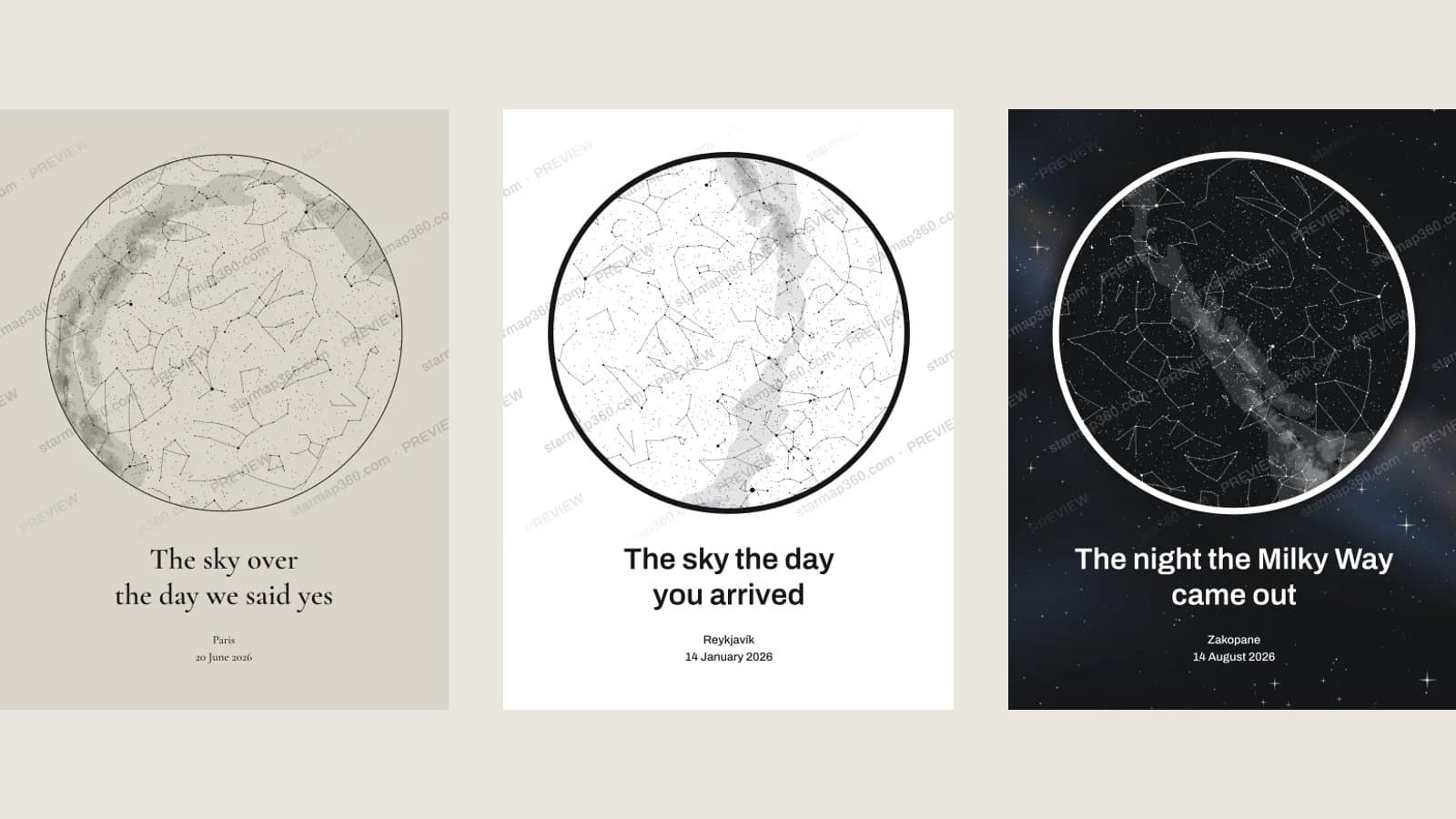
A star map PNG looks simple: a circle of stars, a few lines of text. But whether it prints crisp on your wall or soft and pixelated comes down to a handful of decisions made before you hit download — resolution, format, colours, and getting the moment itself right. Here is what matters, and how to get it right the first time.
Make a star map of any place, date and time, preview it free, and download a print-ready PNG plus SVG.
Create a star map PNG1. Start with the moment, not the design
A star map is a picture of a real sky, so the inputs decide what’s in it — get them wrong and no colour scheme will save it:
- Place. The city is usually enough; the sky barely changes across a few kilometres. Latitude matters far more than longitude — the sky over Oslo and the sky over Cape Town on the same night share almost nothing.
- Date. The season decides which constellations are up: Orion in winter, the Summer Triangle in July.
- Local time. Use the time as it was on the clock where it happened. A good generator works out the time zone from the place for you. If you don’t know the exact time, pick an evening hour — 21:00 to 23:00 shows a full, dark sky.
2. Resolution: how many pixels you actually need
Printers think in dots per inch (dpi). Around 300 dpi is ideal for something you look at up close; 150–200 dpi is fine for a poster viewed from across a room. To check a PNG, divide its pixel width by the print width in inches (cm ÷ 2.54). Here is what a 3000 px PNG — the short edge of a One map download — gives you:
| Print size | Short edge | Effective dpi at 3000 px | Verdict |
|---|---|---|---|
| A4 | 21 cm | ~360 | Excellent |
| A3 | 29.7 cm | ~255 | Very good |
| 30 × 40 cm | 30 cm | ~255 | Very good |
| A2 | 42 cm | ~180 | Good from a step back — or use the SVG |
| 50 × 70 cm | 50 cm | ~150 | Use the SVG |
Be wary of “free star map PNG” downloads that come out at 800 or 1000 px. They look fine on a screen and fall apart on paper: 1000 px across an A3 print is under 90 dpi.
3. PNG, SVG or JPG?
- PNG — lossless, so thin constellation lines and small stars stay sharp. The right choice for home printing, online print shops, and digital use.
- SVG — vector, so it scales to any size with no loss. Hand it to a print shop for anything bigger than A2, or open it in Illustrator, Inkscape or Affinity to edit.
- JPG — avoid for star maps. Compression smears fine lines and puts blocky artefacts around bright stars on dark backgrounds — exactly what a star map is made of.
4. Colours that print well
Screens glow; paper doesn’t. A few rules keep the printed map close to what you saw:
- Deep navy, black and forest green backgrounds with white or cream lines print reliably.
- Very thin, light lines on a light background can disappear on matte paper — give them contrast.
- Large areas of saturated red or bright blue often print duller than they look on screen.
- If the print is for a frame with a mat, leave some breathing room around the circle.
5. Using your star map PNG in a design
If you’re placing the map into your own layout — a Canva poster, a wedding invitation, a product mockup — you’ll want the circular map on its own, without the poster text. Switch on Transparent background and there’s no background at all — not around the map, not inside it — just the stars, lines and text, so it drops onto anything. Just choose a foreground colour that reads on whatever it will sit on — white lines vanish on a white t-shirt.
In Starmap Studio you can render the bare map at any width, and if you’re producing maps for a shop, the Star Map API does the same from your own code.
6. A quick checklist before you download
- Place, date and local time are right — check the caption, not just the stars.
- Spelling in the headline and captions (names and dates especially).
- The poster format matches your frame: portrait 3:4 for 30 × 40 cm, ISO for A-sizes, or square.
- Enough resolution for your print size — see the table above.
- Keep the SVG too, in case you ever want it bigger.
Make yours
Starmap360 renders your sky from real star data and gives you a free, unlimited preview — then a 3000 px PNG and a vector SVG of the same poster.